
- Image Template Editor
Design Your Brand Once. Apply It to Every Listing Automatically.
The Image Template Editor lets you build a fully custom, branded eBay image template multi-image layouts, badges, borders, watermarks, and overlays with a simple drag-and-drop canvas. Build once, select in Flow Lister, and every listing is branded automatically.
- 14 days for $1
- Cancel online anytime
- Then your plan’s price unless you cancel
Compatible with the suppliers and marketplaces you use every day


The Real Problem
Generic Stock Photos Don't Build a Brand. They Just Fill Space.
Every listing that goes live with an unedited supplier photo looks identical to every other dropshipping listing using the same source. No branding, no visual distinction, no reason for a buyer to choose your store over the next one. Fixing this manually opening design software for every product, dragging in badges, placing overlays, exporting isn't realistic at any real catalog volume. The Image Template Editor solves it at the root. Design once. Save it. Select it in Flow Lister. Every future listing is branded automatically — across every marketplace you sell on.
01 · Template Canvas
Build Custom Multi-Image Layouts with a Visual Drag-and-Drop Canvas.
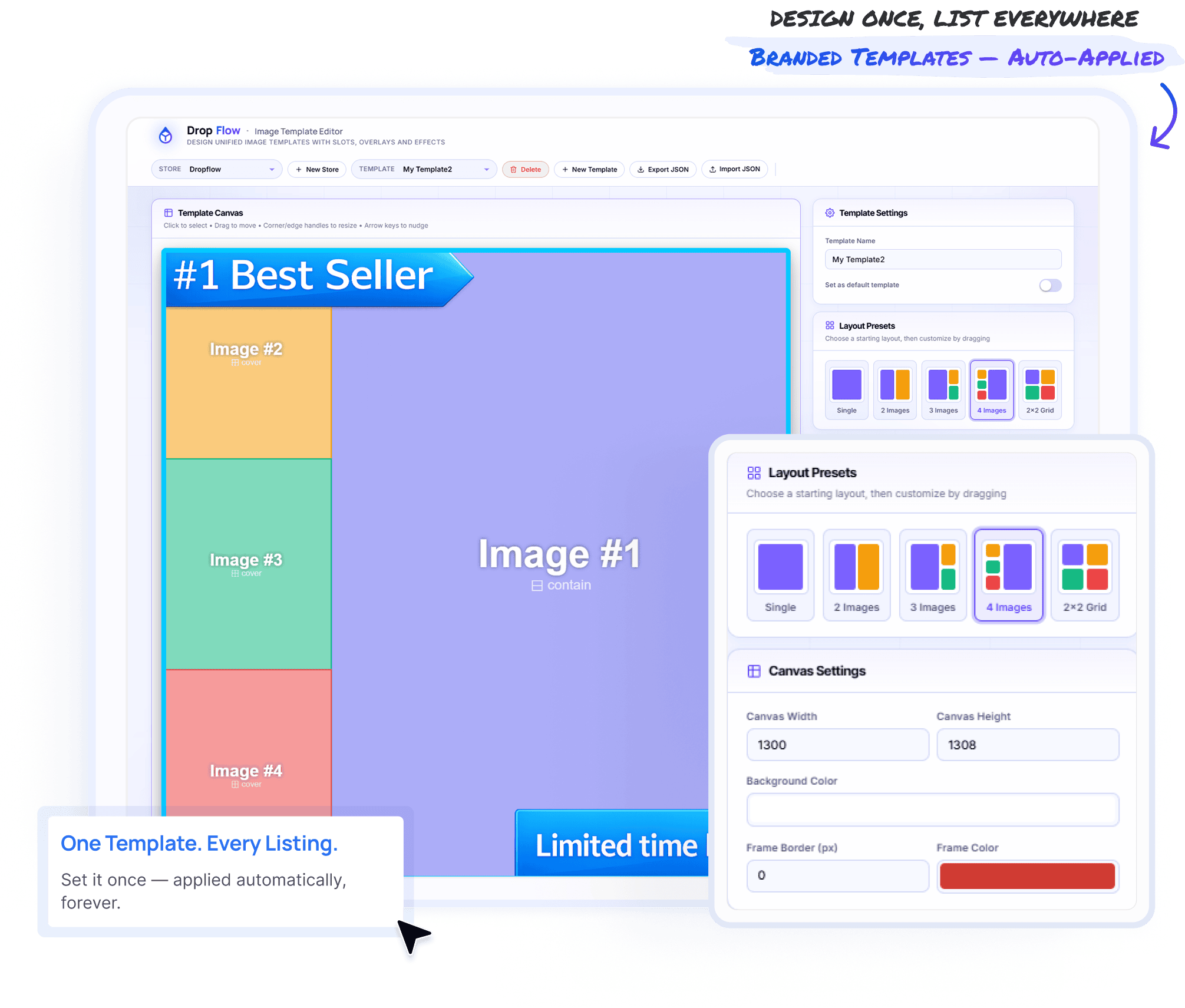
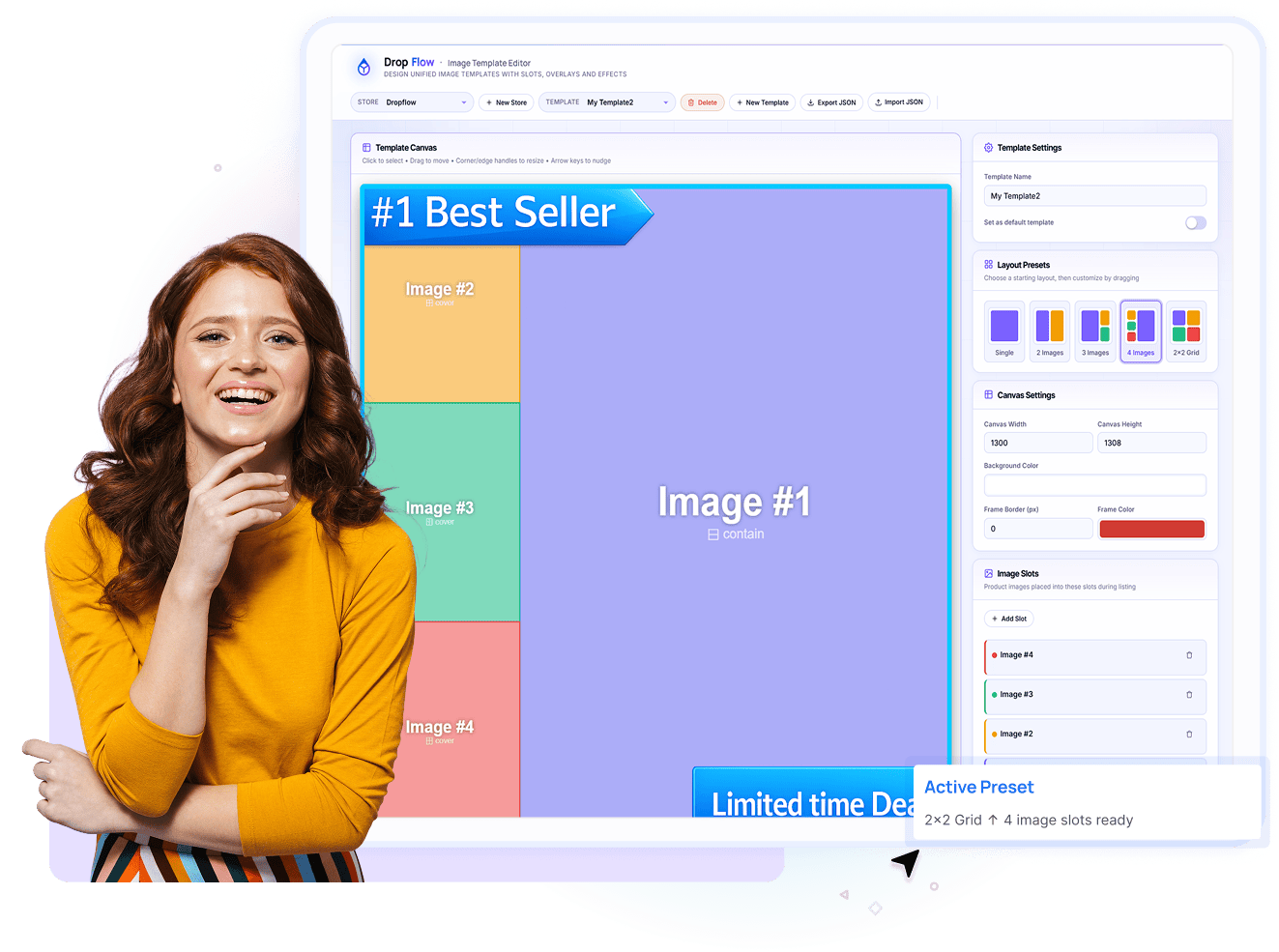
The Template Canvas lets you build branded listing layouts with complete visual control. Start with a preset layout, then drag, resize, and position image slots directly on the canvas. Fine-tune every element with simple controls—no coding or external design software required.
Five layout presets to start from.
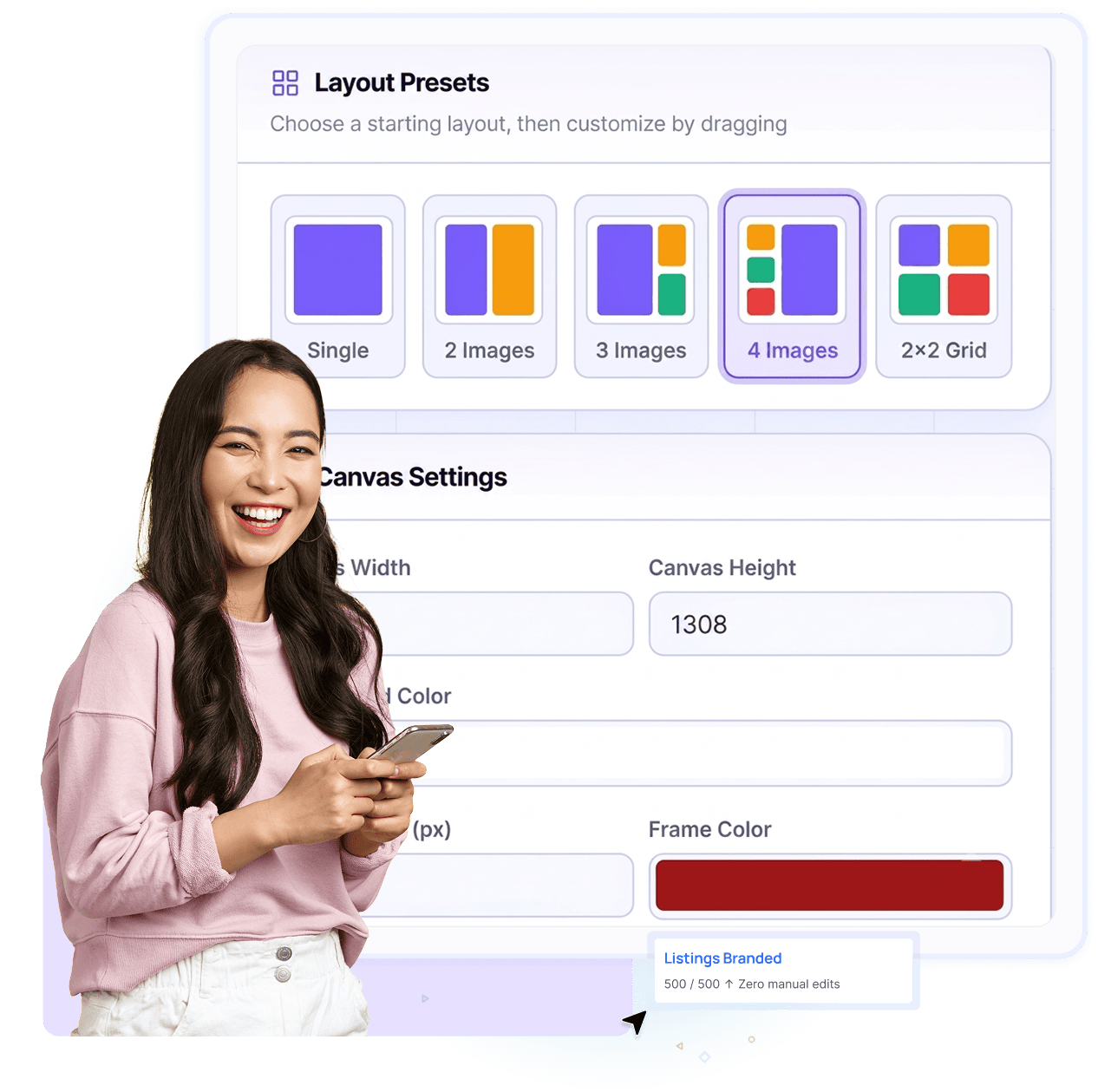
Single, 2 Images, 3 Images, 4 Images, and 2×2 Grid — a structured starting point for any product type.
Fully customizable image slots.
Every slot can be repositioned, resized, and layered — drag to move, corner handles to resize, arrow keys to nudge to pixel-perfect position.
Configurable canvas settings.
Set exact canvas width, height, background color, and frame border — a template that matches your exact brand specifications.
Multiple templates per store.
Create, name, and save as many templates as you need — different layouts for different categories or campaigns.
02 · Overlays & Branding
Badges, Borders, Watermarks — Layered On Top of Every Listing Photo.
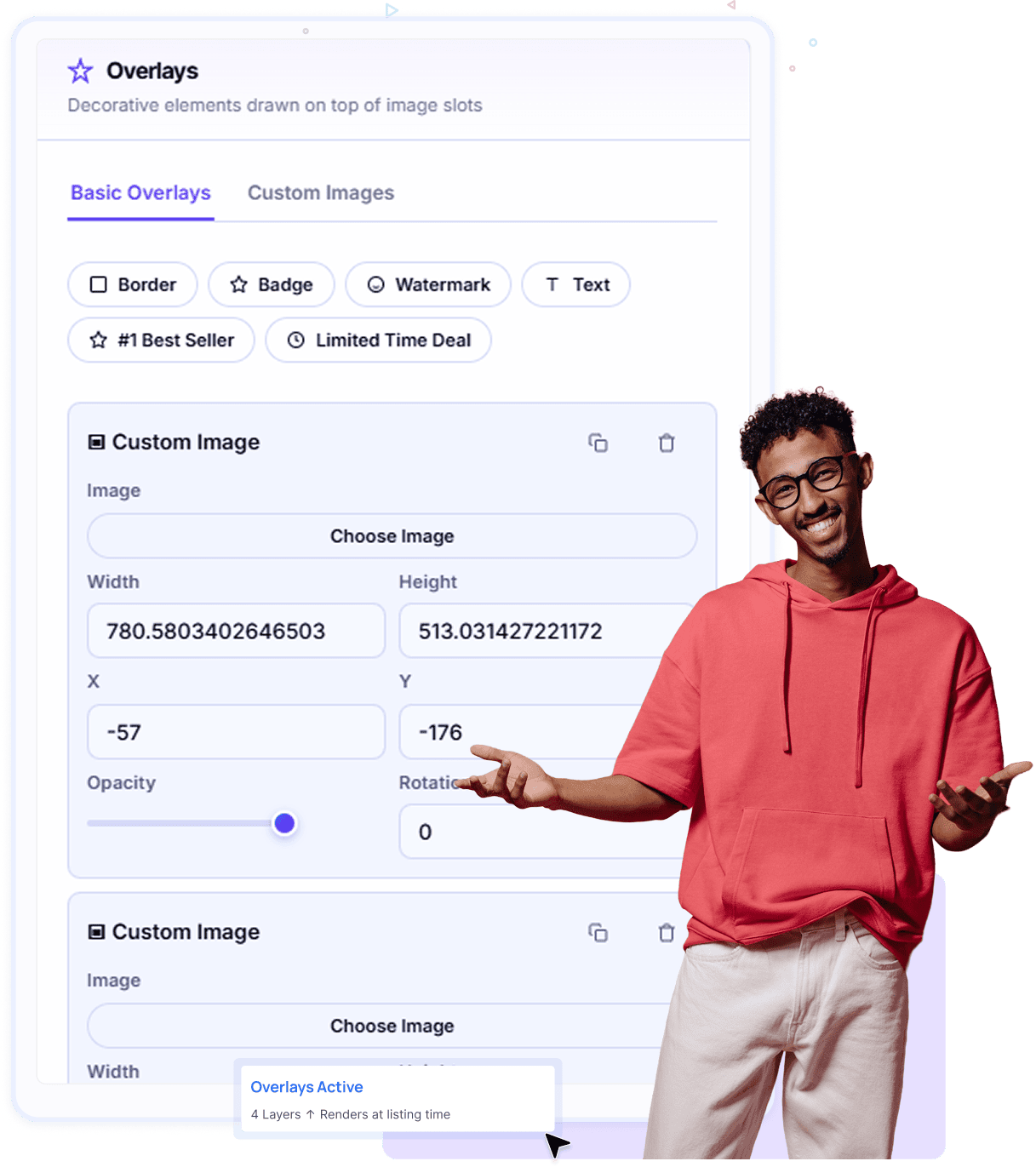
The Overlays system lets you add badges, borders, watermarks, text, and custom graphics to your templates. Customize size, position, opacity, and rotation, then automatically apply your branding to every product image during listing.
Pre-built badge templates.
One-click "#1 Best Seller" and "Limited Time Deal" badges — proven attention-grabbing elements ready to use immediately
Fully custom image overlays.
Upload your own logo or branded graphic as a Custom Image overlay — with full control over width, height, position, opacity, and rotation.
Precise positioning controls.
Every overlay can be positioned with exact X/Y coordinates, sized to the pixel, rotated to any angle, and set to any opacity.
Configurable border styling.
Custom color, width, style, and corner radius — framing your product images exactly the way your brand requires.
03 · Automated Application
Select Your Template Once in Flow Lister. Every Listing Gets Branded Automatically.
Once your template is saved, simply select it in Flow Lister when creating listings. Every product image is then automatically branded with your layout, badges, borders, and watermarks during the listing process. Whether you're publishing 50 or 500 listings, every image stays professionally branded and consistent—without any manual editing.
One-time setup, unlimited automated use.
Build your template once, select it in Flow Lister — every future listing automatically applies it. No repeat design work, ever.
Built for dropshippers, not one platform.
Templates apply automatically across eBay and Poshmark — one design system for your whole catalog, wherever you sell.
Applied during the listing process itself.
Templates render onto your stock photos as part of Flow Lister's automation — not a separate step you have to remember.
Consistent branding at any volume.
Publishing 10 or 1,000 listings — every photo gets the same template. True visual consistency at scale.
04 · Live Results
Your Template, Live on the Marketplace — Exactly as You Designed It.
This is the Image Template Editor in action. Badges, ribbons, watermarks, and custom layouts are automatically rendered onto live eBay listing photos exactly as designed. What buyers see is a polished, branded listing that stands out from generic supplier images—all generated automatically during the publishing process.
Your eBay image template renders exactly as designed.
What you build in the editor is exactly what appears on the live eBay listing — same layout, same badges, same positioning, pixel for pixel.
Appears in the primary gallery image.
Your branded template is applied to the main product photo — the first image a buyer sees when they land on your listing.
A visibly more professional listing.
Buyers see a branded, composite image with attention-grabbing badges — setting your listing apart from competitors using the same supplier photos.
Zero manual work at publish time.
The seller didn't open an image editor. The template was selected once in Flow Lister and applied automatically the moment the listing went live.
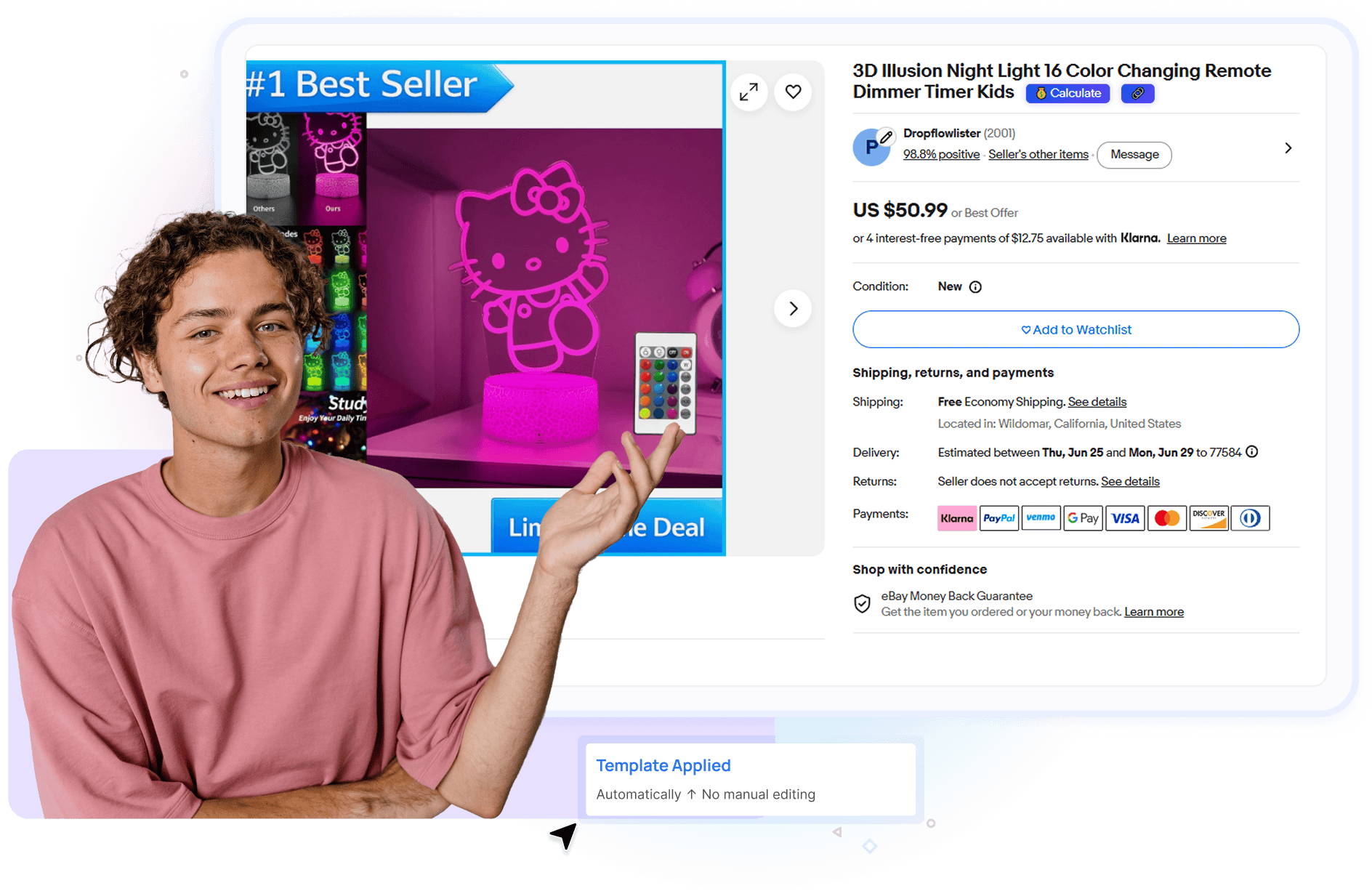
Image Template Editor
The Only Branded Image Automation Tool Built for Dropshippers.
DropFlowLister's Image Template Editor is a powerful dropshipping image automation platform that helps sellers create branded listing images with a drag-and-drop template builder. Design custom eBay listing image templates, automate Poshmark photo branding, add badges, watermarks, and overlays, and maintain brand consistency across every listing. Features include multi-image layout creation, product image editing, bulk branded listing generation, custom overlay design, and automated product photo templates—all within the same platform used to create and publish listings.
Frequently Asked Questions
What is the Image Template Editor?
The Image Template Editor is DropFlowLister's custom image template builder. It lets you design fully branded, multi-image layouts with badges, borders, watermarks, and custom overlays using a drag-and-drop canvas. Once built, you select your template inside Flow Lister and it's automatically applied to your product photos on every listing you publish.
Do I need design software to use the Image Template Editor?
No. The entire template is built inside DropFlowLister using the visual canvas — click to select, drag to move, use corner and edge handles to resize, and arrow keys to nudge elements into place. No external design software or technical skill is required.
Does the template apply automatically to my listings?
Yes. Once you've built and saved a template, you select it inside Flow Lister when listing to eBay or Poshmark. From that point on, every product photo in every listing automatically has the template applied — rendered onto your stock photos during the listing process itself, with no manual editing required per listing.
Can I use different templates for different products or stores?
Yes. You can create and save multiple templates, name them individually, set one as your default, and switch between them as needed. This is especially useful for multi-store sellers or sellers running different branding for different product categories.
What kind of overlays can I add to my templates?
The Overlays system supports Borders, Badges, Watermarks, Text, and fully Custom Images. Pre-built badges like "#1 Best Seller" and "Limited Time Deal" are available with one click, and custom image overlays give you full control over width, height, position, opacity, and rotation for your own logos or branded graphics.
What layout options are available for my image templates?
The Image Template Editor includes five Layout Presets to start from: Single, 2 Images, 3 Images, 4 Images, and 2×2 Grid. Every layout is fully customizable after selecting a preset — you can drag, resize, and reposition every image slot to match your exact design.
Which marketplaces does the Image Template Editor work with?
The Image Template Editor is built for dropshippers, not locked to a single marketplace. It currently applies automatically to listings on eBay and Poshmark, with more marketplace support actively in development. One branded template system that grows with DropFlowLister's marketplace coverage.
Can I export or import my templates?
Yes. Templates can be exported to JSON and imported back in — making it easy to back up your designs, transfer templates between stores, or share a template configuration across your team.
Build Your Brand Once. Let DropFlowLister Apply It Everywhere.
- Stop publishing listings that look like everyone else's supplier photos. Design a custom, branded image template in minutes with the Image Template Editor — then select it in Flow Lister and watch every future listing go live fully branded, automatically, across every marketplace you sell on. One design decision. Unlimited branded listings.