
Billing and access errors: fix lock screens, credits, and payments
Learn how to read each DropFlowLister lock screen and credit message and restore your access.
On this page
When your plan isn't active, DropFlowLister shows a lock screen in the popup and on its pages, and hides its tools on marketplace and supplier sites. Each lock screen names the reason and gives you a button to fix it.
Key points
- Lock screen buttons: Upgrade Now, Choose a Plan, Manage Subscription, and Update Payment open
https://dropflowlister.com/pricing/. - Re-check after you fix it: Click I've updated my plan — Re-check to unlock without waiting.
- Credit messages stop listing tools when your balance is too low.
- Short outages: If the server can't be reached, your last good check counts for up to 24 hours.
Plan status messages
| Title | What it means | What to do |
|---|---|---|
| "Your free trial has ended" | Your trial is over. | Click Upgrade Now and pick a plan. |
| "Subscription cancelled" | Your plan was cancelled, and no active plan is on file. | Resubscribe on the pricing page. Your unused credits are still on your account. |
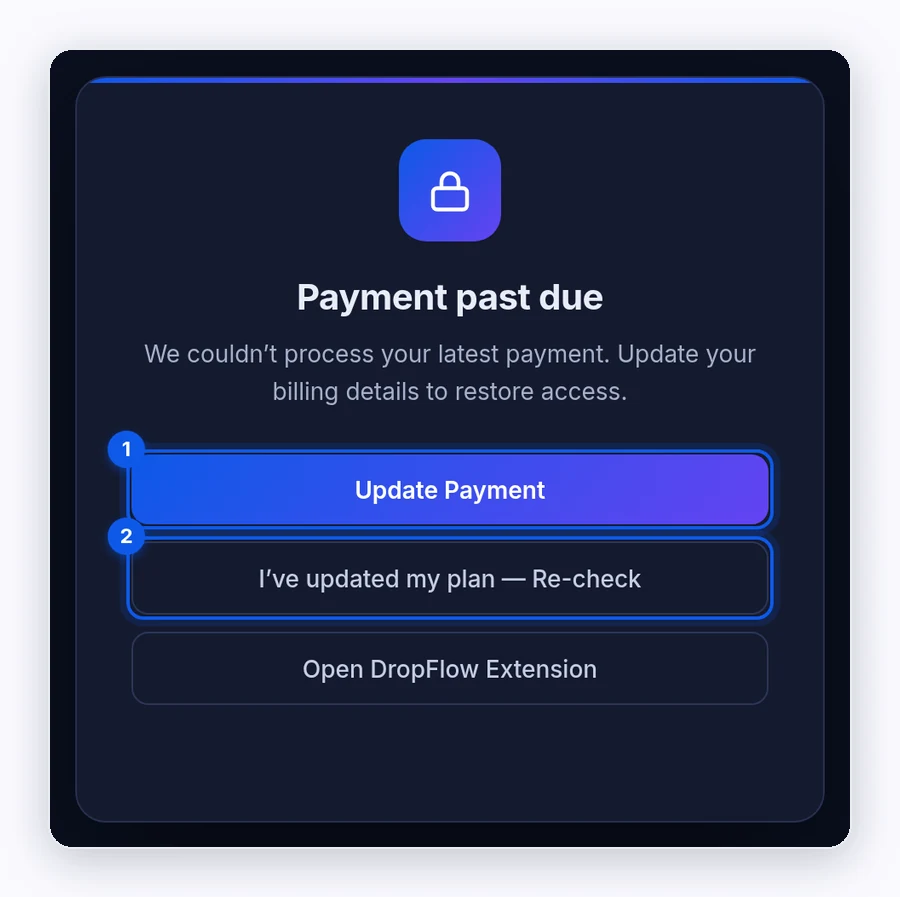
| "Payment past due" | Your latest payment failed. | Click Update Payment and update your billing details. |
| "No active subscription" | You don't have a plan yet. | Click Choose a Plan. |
| "Access locked" | Your plan isn't active for another reason. | Click Manage Subscription, or contact support. |
After you fix it:
- Go back to the lock screen.
- Click I've updated my plan — Re-check.
- Wait for "Access restored — taking you back…".
Re-check messages
"Still no active plan on file."
Cause: The server still doesn't see an active plan. Fix:
- Make sure your payment went through on the DropFlowLister website.
- Wait a minute and click Re-check again.
- Check you're signed in with the same email you paid with.
"Couldn't reach the extension. Try again in a moment." or "Still unable to verify. Please try again shortly."
Cause: The page couldn't talk to the extension or the server.
Fix: Wait a moment and try again. If it keeps happening, reload DropFlowLister at chrome://extensions.
"Couldn't verify your subscription"
The full message is "We were unable to confirm your subscription status. Check your connection and try again."
Cause: DropFlowLister couldn't reach its server, and there's no recent good check to fall back on. Fix:
- Check your internet connection.
- Pause any VPN or firewall that might block it.
- Close and reopen the popup.
Credit messages
"Insufficient credits" or "❌ Insufficient credits. Please purchase more credits."
Cause: Your balance is lower than the cost of the action.
Fix: Add credits, then try again. To get more, upgrade your plan or buy a one-time credit pack (see https://dropflowlister.com/pricing/).
"Out of credits — listing stopped. Top up to continue."
Cause: Your balance ran out during a Flow Lister run. Fix: Upgrade your plan or buy a one-time credit pack, then continue from the next link.
"⚠️ Bulk Listing Stopped … Please purchase more credits."
Cause: Your balance ran out during a Poshmark Flow Lister run, so all threads stopped. Fix: Upgrade your plan or buy a one-time credit pack, then restart the run from the next product.
"⚠️ Credit could not be auto-refunded."
Cause: eBay saved a listing as a draft, and the automatic refund failed. Fix: Email contact@dropflowlister.com with the product link and the time.
Note: The Tokens pill updates after each action. Close and reopen the popup to see your latest balance.
Tools are hidden on marketplace and supplier sites
Cause: When your plan isn't active, DropFlowLister hides its panels and icons on sites like Amazon and eBay. Fix: Fix your plan with the steps above, then refresh those pages.
What to send support
Email contact@dropflowlister.com from your account email with:
- a screenshot of the lock screen or message
- the date and time of your last payment
- the time the problem started
Never send full card numbers by email.
Related articles
Still stuck? Chat with us.
Message our team and we’ll walk you through it. You can also email contact@dropflowlister.com.