
The eBay out of stock option is a single setting that decides what happens to a fixed-price listing when its quantity hits zero. This guide is for eBay sellers and dropshippers who restock items, or whose suppliers sometimes run dry.
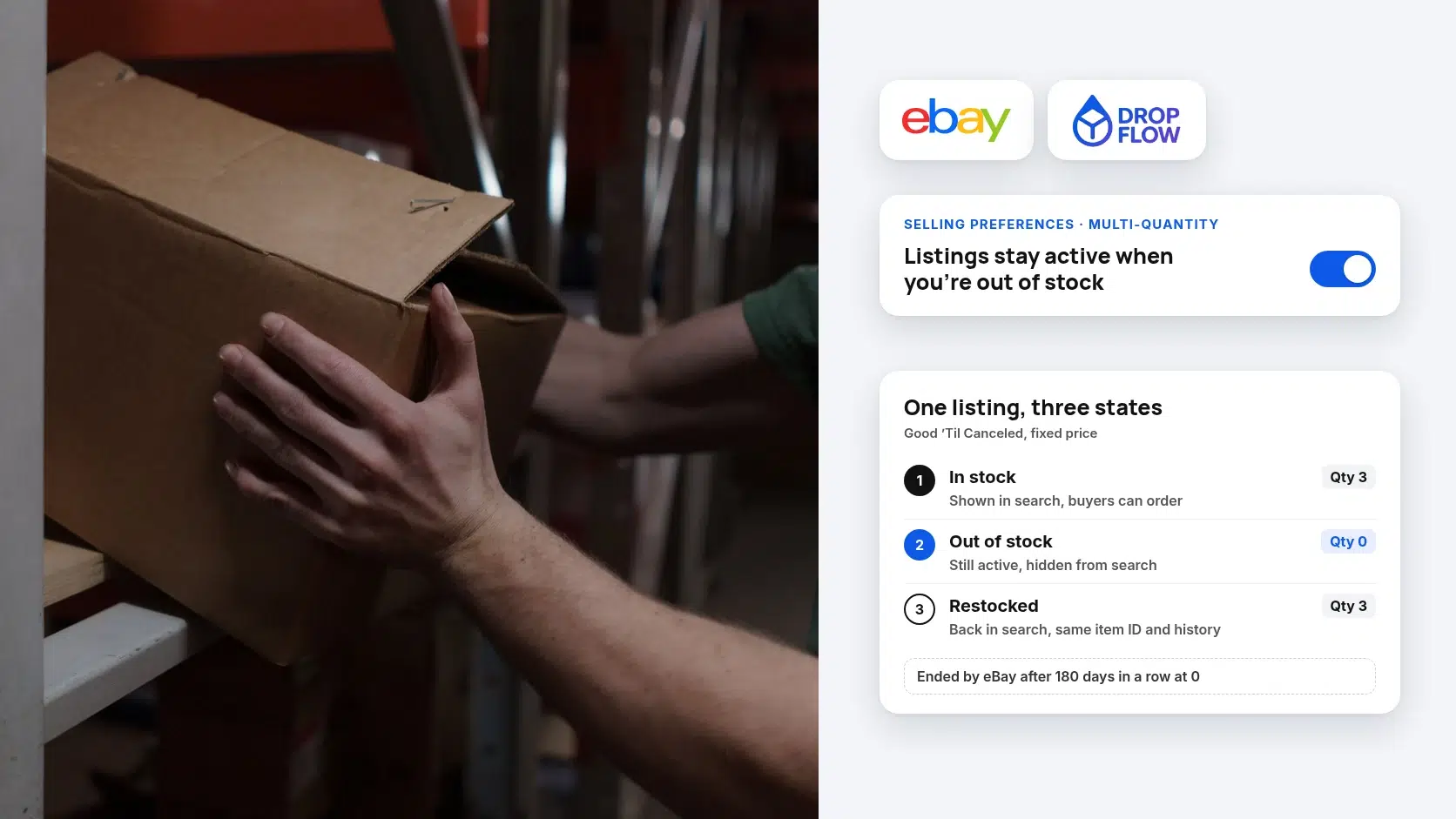
With the option off, eBay ends the listing once the last unit sells. As a result, you lose the item ID, and the next time you list it you start again from scratch. With it on, the listing stays active but drops out of search until you add stock.
Below, you’ll learn how to turn it on, what it costs, and when ending a listing is the better call. Every rule is checked against eBay’s own help pages on October 19, 2026, with two screenshots from those pages.
- Account-wide. It applies to all existing and future multi-quantity listings until you turn it off.
- 180-day limit. eBay ends a listing that sits at quantity 0 for 180 days in a row.
- Fee credit. A full billing period at 0 may qualify for an insertion fee credit.
- Not a defect shield. It stops new orders at 0, but an order placed before that still has to ship.
What is the eBay out of stock option?
It is an account setting for fixed-price, Good ‘Til Canceled listings that keeps a listing at quantity 0 active but hidden from search. Once you add quantity again, the same listing returns to search results.
What Does the eBay Out of Stock Option Do?
Quick answer: It keeps a sold-out listing alive but invisible in search, so you can restock the same listing instead of creating a new one.
By default, eBay’s multi-quantity listings help page says a bulk listing ends when the quantity runs out. Once you enable the out-of-stock option, eBay lists four things that happen:
- It covers every listing. All of your existing and future bulk listings use the option until you disable it.
- Zero means hidden, not ended. When quantity becomes 0, the listing stays active but is hidden from search results. That’s true whether the items sold or you changed the number.
- Restocking brings it back. The listing reappears in search when you increase the quantity.
- You keep control. You can still end the Good ‘Til Canceled listing yourself at any time.
Why does keeping the same listing matter? On the same help page, eBay says sales history is one of the things that sets a listing’s Best Match position. It also advises adding new stock to the existing listing rather than creating a new one.
How Do You Turn On the eBay Out of Stock Option?
Quick answer: Open Selling preferences, scroll to Multi-quantity listings, and switch on Listings stay active when you’re out of stock.
1Step 1: Open Selling preferences
Sign in to the eBay account you sell from, then open Selling preferences. That is the same link eBay’s help page uses. You can also reach it from Account settings in My eBay.
2Step 2: Switch on the Multi-quantity listings toggle
Scroll down to Multi-quantity listings and select the toggle beside Listings stay active when you’re out of stock. The same section has a second toggle, Buyers can see exactly how many items are left. That one only controls whether buyers see your exact quantity, so don’t mix the two up.

Source: eBay help, Multi-quantity listings and listings with variations, captured October 19, 2026.
3Step 3: Test it on one listing
To see the eBay out of stock option working, pick one listing you’re willing to pause. Set its quantity to 0 in Seller Hub, then search for it on eBay, where it should no longer show up. Finally, raise the quantity again and confirm that it’s back in search.
What Happens to an eBay Listing at Zero Quantity?
Quick answer: With the option on, the listing waits in a hidden state for up to 180 days. With it off, the listing simply ends.
Here is the difference in one table. Each row comes from eBay’s help pages, except the last row, which is our own reading of the rules.
| When quantity hits 0 | Option off | Option on |
|---|---|---|
| Listing status | Ends | Stays active |
| Search results | Gone | Hidden until you add quantity |
| Restocking | Relist or create a new listing | Raise the quantity on the same listing |
| Monthly insertion fee | Stops with the listing | Keeps renewing; may be credited after a full billing period at 0 |
| Time limit | Not applicable | eBay ends it after 180 consecutive days at 0 |
| Sales history (our reading) | A new listing starts without it | Stays with the listing you restock |
Source: eBay help id=4150 and eBay selling fees id=4822, checked October 19, 2026.
What about listings with variations?
Variation listings carry a separate quantity for each option, such as size or color. eBay’s help page adds a warning here: if you relist, any variation at zero quantity is relisted with its original quantity. So review every variation’s quantity after a relist, or you may be selling sizes you don’t have. eBay recommends Good ‘Til Canceled if you relist regularly.
Is it the same as Time Away?
No, the eBay out of stock option reacts to each listing’s quantity. Meanwhile, eBay’s Time Away setting is for when you, the seller, are unavailable for a while. In other words, use Time Away for a vacation and the out-of-stock option for a supplier gap.
Does the eBay Out of Stock Option Cost Anything?
Quick answer: The setting itself is free. However, a hidden Good ‘Til Canceled listing keeps renewing, so its insertion fee still applies unless a credit covers it.
eBay charges a Good ‘Til Canceled insertion fee every month. That runs from the day you create the listing until it sells out, you end it, or eBay ends it. With the option on, a listing at 0 for the entire billing period may qualify for an insertion fee credit, plus a credit for any listing upgrades.

Source: eBay help, Insertion fees and credits section, captured October 19, 2026.
On eBay’s selling fees page, sellers without a Store get up to 250 zero insertion fee listings a month, then $0.35 per listing in most categories. A Store raises the free allowance, and our eBay insertion fee calculator shows the numbers by plan. Final value fees on each sale are covered by our eBay fee calculator.
Cost of a hidden listing per billing period = its insertion fee (if any) − any credit for a full period at 0
Worked example (our calculation): say 40 of your listings are past the free allowance, at $0.35 each. If all 40 sit at 0 for a full billing period, that’s $14 charged and possibly credited back. If you restock them mid-period, they didn’t spend the whole period at 0, so expect that period’s $14 to stand.
Does the Out of Stock Option Protect You From Defects?
Quick answer: It helps, because a listing at 0 can’t take new orders. It can’t help with an order that arrives before the quantity reaches 0.
eBay’s wording is careful: the eBay out of stock option “may help protect you” from a transaction defect for running out of stock. That’s because under eBay’s seller performance standards, canceling an order because the item was out of stock counts as a transaction defect. eBay’s seller performance tips make the same point and tell sellers to keep listing quantities in sync with stock.
Out-of-stock defects are also hard to undo. Indeed, eBay’s defect review page removes cancellation defects only when a buyer retracted a bid or asked for something the listing didn’t offer. For the full math, our guide to eBay out of stock cancellations shows what one cancellation does to your rate.
In short, the option is the safety net, and fast quantity updates are the real protection. If you’re working toward a badge, the eBay Top Rated seller requirements allow a defect rate of only 0.5%, so every avoided cancellation counts.
When Should You Use the eBay Out of Stock Option, and When Should You End the Listing?
Quick answer: Keep a listing hidden when the item will come back and has sales behind it. End it when the product itself is gone or never sold.
eBay itself frames the option for items you “regularly restock”. These are our recommendations for the situations dropshippers and resellers actually hit:
| Situation | Our pick | Why |
|---|---|---|
| Supplier is out of stock for a few days | Set quantity to 0 | Same listing returns when stock does |
| A proven seller with sales history | Set quantity to 0 | eBay uses sales history in Best Match |
| Seasonal item you’ll restock next season | Set to 0, with a calendar check | The 180-day clock may end it first |
| Supplier discontinued it or changed the product | Find a matching source or end it | Don’t sell an item you can’t match |
| Listing never sold anyway | End it | Nothing to protect, and it keeps renewing |
Our recommendations, based on eBay help id=4150, checked October 19, 2026.
A quick rule of thumb for the eBay out of stock option: if you’d relist the item tomorrow when stock returns, keep it at 0. If you wouldn’t, end it now and keep your catalog clean.
Why Do Dropshippers Need the Out of Stock Option On?
Quick answer: Stock-sync tools pause listings by setting quantity to 0. With the option off, zero ends the listing instead.
When you dropship, your stock is your supplier’s stock, and it can change without notice. eBay’s dropshipping policy allows the model, and you stay responsible for delivering on time. So the practical job is keeping each listing’s quantity in line with what the supplier can ship.
That’s why the eBay out of stock option matters before you automate. A tool that checks your supplier and writes quantity 0 can only pause a listing if eBay keeps zero-quantity listings alive. Otherwise, each stockout ends a listing, and you lose the item ID you’d want back when stock returns.
For late shipments, cancellations and price errors, read our pillar on how to avoid eBay defects when dropshipping at scale. It also explains how they feed into your eBay seller level.
How Does DropFlowLister Handle Out-of-Stock Listings?
DropFlowLister is AI listing and dropshipping automation software, currently on eBay and Poshmark, with more marketplaces coming. Out-of-stock handling lives in Flow Tracker, our automatic price and stock tracking suite.
- Checks every supplier product. According to the Flow Tracker for eBay help guide, it reads your active listings and checks each matching Amazon, AliExpress or Walmart product.
- Sets quantity to 0 or ends the item. You choose the out-of-stock action. Set quantity to 0 keeps the listing live with no stock, which pairs with the eBay out of stock option.
- Catches the risky cases too. Low supplier stock, delivery slower than your limit, and an Amazon link that now points to a different product also get quantity 0.
- Brings items back. When the supplier restocks, the quantity goes back up, and prices follow your markup rules.
- Uploads for you. With Auto Upload on, the results go to eBay as soon as the scan finishes. Price and stock tracking is included on every plan.
Listings created with Flow Lister already carry the SKU Flow Tracker matches on, so new listings are ready for tracking. DropFlowLister also sends automated buyer messages, while you still add tracking numbers yourself. Poshmark sellers get the same idea through the Poshmark Closet Tracker, and our Flow Tracker guide walks through all three tools.
Frequently Asked Questions
How do I enable the out of stock option on eBay?
Go to Selling preferences in your eBay account and scroll to Multi-quantity listings. Then switch on the toggle labeled “Listings stay active when you’re out of stock”. The change applies to all your existing and future multi-quantity listings until you turn it off.
Why does my eBay listing say out of stock?
Usually, the quantity is 0 and the eBay out of stock option is on. So eBay keeps the listing but hides it from search. Raise the quantity in Seller Hub or My eBay, and the listing returns to search results.
Can I turn on the eBay out of stock option for one listing only?
No. eBay applies it at the account level, so every existing and future bulk listing uses it once it’s on. However, you can still end any single Good ‘Til Canceled listing whenever you want. In practice, that gives you per-listing control: keep the ones you’ll restock at 0 and end the rest.
How long can an eBay listing stay out of stock?
eBay’s US help page says a listing at quantity 0 for 180 consecutive days is ended. Older eBay announcements mention a shorter window, so don’t treat 180 days as a promise. Instead, review hidden listings every month or two, and end or restock them on your schedule.
Do I pay fees while a listing is out of stock?
The Good ‘Til Canceled listing keeps renewing, so an insertion fee can apply at each renewal. If the listing stays at quantity 0 for the entire billing period, eBay says it may qualify for an insertion fee credit. Listings inside your monthly zero insertion fee allowance cost nothing to begin with.
Does the eBay out of stock option work for auctions?
No. eBay describes it for fixed-price, Good ‘Til Canceled listings with a quantity. An auction ends on its own schedule, so it can’t sit at zero waiting for stock. If you restock an item regularly, list it as fixed price with a quantity instead.
Keep Sold-Out Listings Ready for the Restock
Turn on the eBay out of stock option once, keep quantities in sync with your supplier, and end only the listings you’d never bring back. Then, for the rest of your account health, read our pillar on avoiding eBay defects at scale.
Start your 14-day DropFlowLister trial for $1 and let Flow Tracker set quantity 0 when a scan finds your supplier out of stock.


