
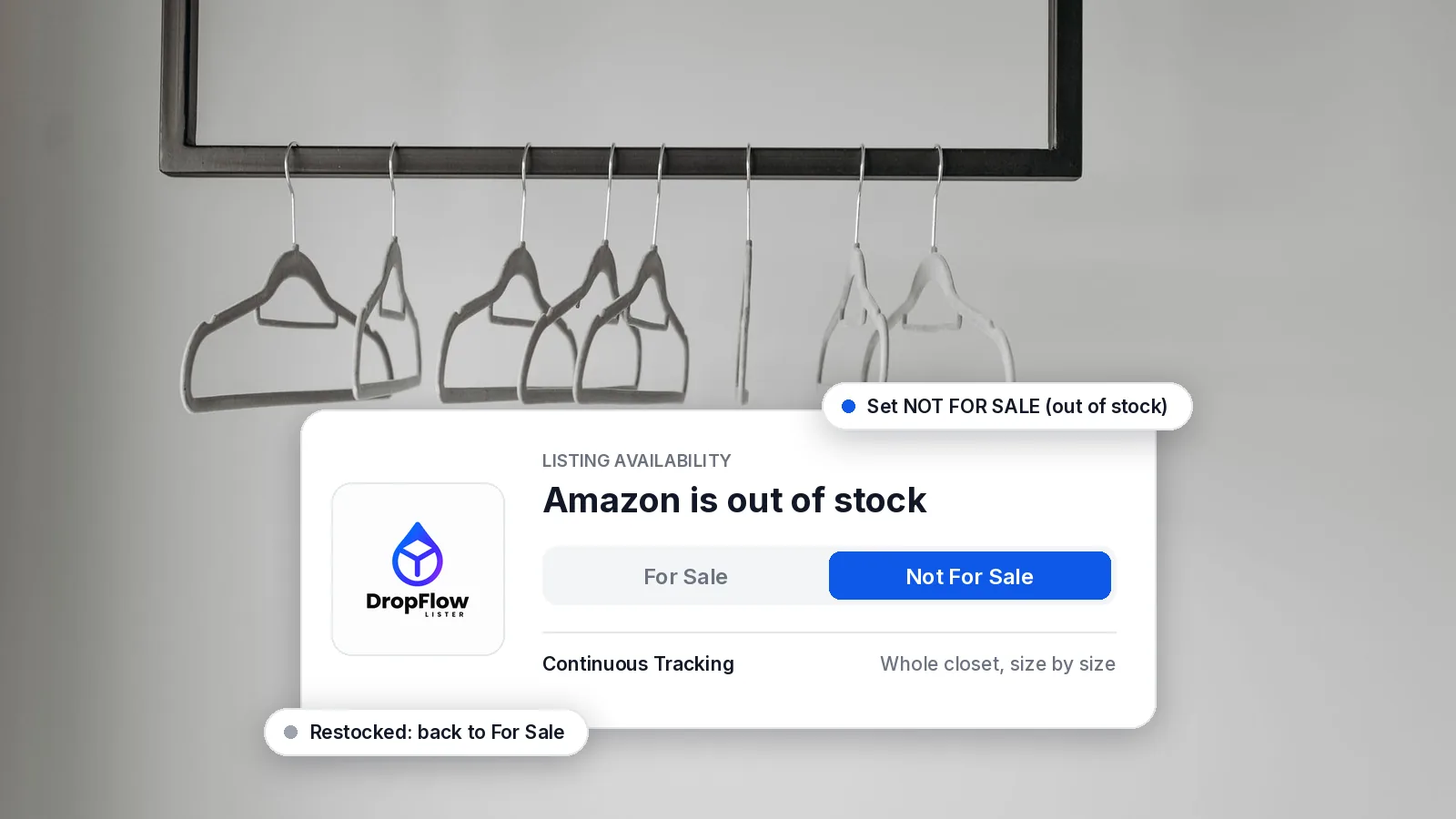
Poshmark Not For Sale is a listing availability setting that keeps an item in your closet while stopping anyone from buying it. Sellers use it to hold items, show sold bundles and pause listings for later. For dropshippers, it is the setting that protects you when your Amazon supplier runs out of stock.
This guide explains what Not For Sale means on Poshmark, how it compares with deleting a listing or a sold listing, and how to switch it by hand. Then it shows how to automate it, so out-of-stock items switch to Not For Sale and back again without manual edits. Poshmark facts come from Poshmark’s own guide and blog, and DropFlowLister features come from its help center, all checked on November 2, 2026.
TL;DR: What Does Poshmark Not For Sale Mean?
- What it is: an Availability option on a Poshmark listing. The listing stays in your closet, but shoppers can’t buy it.
- How to set it: open the listing, click Edit, and change Availability to Not For Sale. Change it back to make the item available again.
- Why dropshippers use it: when an Amazon product sells out, Not For Sale pauses the listing instead of deleting it, so you can bring it back when Amazon restocks.
- How to automate it: Flow Tracker for Poshmark checks each listing against Amazon. It sets out-of-stock items to Not For Sale and switches them back to For Sale when they return.
Flow Tracker is included in every plan on the DropFlowLister pricing page, starting with Solo at $19.99 per month for 500 listings.
What Does Not For Sale Mean on Poshmark?
Not For Sale is one of the Availability options on a Poshmark listing. When Poshmark introduced it in a 2014 app update, it described the feature as “a clear way to tell buyers which listings are no longer available for sale.” The same post lists the common uses: items sold in bundles, reserved listings, notes, and purchases sellers just want to share with other Poshers.
In other words, a Not For Sale listing is still visible in your closet, but it can’t be purchased. Poshmark’s own Guide to Poshmark points to it for holding an item: “The best way to reserve an item is to mark the listing Not For Sale.” It also notes that “the listing can be made available again for purchase” when you’re ready.
Why Does a Poshmark Listing Say Not For Sale?
If you see Not For Sale on a listing, the seller (or one of Poshmark’s own tools) has switched its availability. Poshmark’s pages describe several reasons:
- A hold or reservation: the seller is keeping the item for a specific buyer, as the reserve guide describes.
- A bundle or note: the item sold in a bundle, or the listing is an informational note. Poshmark’s listing guide says you can “set the price to $0 to mark it as Not For Sale” for an informational listing.
- Vacation Hold: according to Poshmark’s 2026 features and tools guide, when Vacation Hold is on, “every listing will be marked as Not For Sale.”
- A Posh Show: Poshmark’s Posh Shows guide says a Quick List item “will automatically be marked as ‘Not For Sale'” so you can feature it during your show.
- Out of stock at the supplier: for dropshippers, the most common reason is that the Amazon product sold out, so the seller pauses the listing until it comes back.
How Do You Mark a Listing Not For Sale on Poshmark?
Doing it by hand takes a few clicks. According to Poshmark’s reserve guide, you “click on the Edit button on the top right hand corner of your listing, and change the listing Availability to Not For Sale.” Here is the same flow as steps:
- Open the listing in your closet.
- Click Edit in the top right corner.
- Find Availability and choose Not For Sale.
- Save the listing.
To undo it, open the listing again and switch Availability back to For Sale. That works well for a handful of items. However, a dropshipping closet can hold hundreds of Amazon products, and any of them can sell out on any day. That is where automation helps.
Poshmark Not For Sale vs Delete vs Sold: What’s the Difference?
These three states look similar from a shopper’s side, because none of them can be bought. For a seller, though, they work very differently.
| State | Stays in your closet? | Can you bring it back? | Best for |
|---|---|---|---|
| Not For Sale | Yes | Yes, switch Availability back to For Sale | Holds, bundles, notes, and items that are out of stock for now |
| Deleted | No | No, you would create a new listing | Items you never plan to sell again |
| Sold | Shown as sold | No, a buyer has purchased it | Completed sales |
The Closet Optimizer guide puts the delete side plainly: “Deleted listings can’t be recovered.” For a dropshipper, the choice is usually simple. If the Amazon product is likely to restock, Not For Sale keeps the listing, its photos and its details ready to go. Later, if a listing has stayed Not For Sale for a long time, you can clean it up. DropFlowLister’s Closet Optimizer skips Not For Sale items by default, and it has a “Delete NOT-FOR-SALE items” option for when you want to clear them in one run.
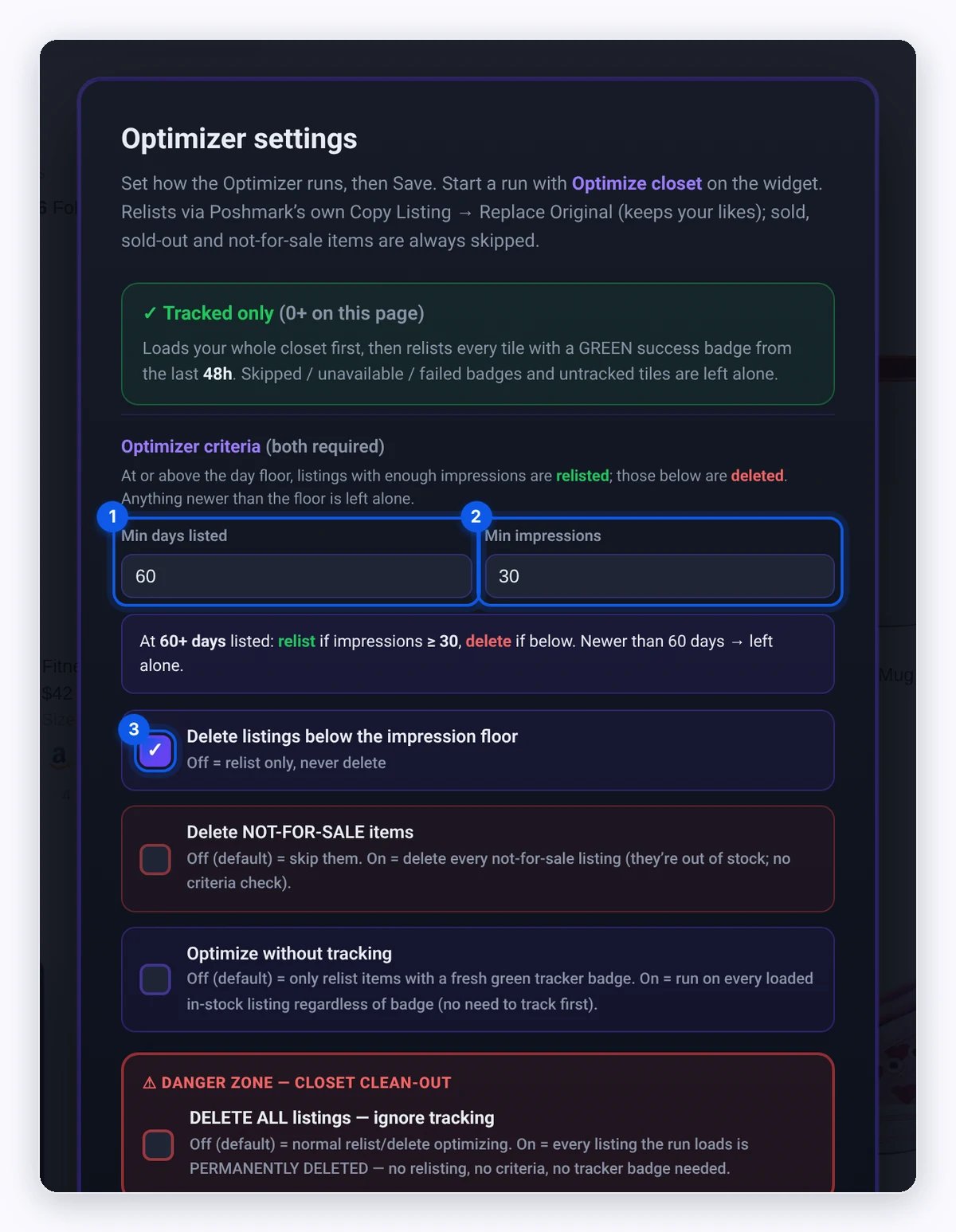
Source: DropFlowLister Help Center, Closet Optimizer guide, captured November 2, 2026.
Why Do Dropshippers Need Poshmark Not For Sale?
When you sell Amazon products on Poshmark, your closet mirrors a catalog you don’t control. Amazon stock changes all the time, and so do delivery times. If a listing stays For Sale after the Amazon item sells out, a buyer can purchase something you can’t order.
Poshmark Not For Sale solves that in a reversible way. The listing pauses while the product is unavailable, then returns when it’s back. As a result, you keep every listing you built, and buyers only see items you can actually fulfill. That matters most in busy seasons, when you add more products to your closet, so if you’re picking items for the holidays, see what Poshmark says is trending this season. For the bigger picture, see our guide to keeping stock and prices in sync on Poshmark, which covers the full Amazon-to-Poshmark workflow.
How Do You Automate Poshmark Not For Sale for Out-of-Stock Items?
Flow Tracker is the price and stock monitor inside DropFlowLister, which works on eBay, Poshmark and more. On Poshmark, it adds a Product Tracker widget to your closet page. According to the Flow Tracker for Poshmark guide, it checks each listing against its Amazon product and handles each result like this:
- Out of stock on Amazon: the tracker sets the listing to Not For Sale. A badge on the tile shows “Availability: set NOT FOR SALE (out of stock)”.
- Back in stock: the listing goes back to For Sale.
- Too slow to deliver: Max Delivery Days (default 4, range 1 to 30) marks an item unavailable when Amazon’s delivery takes longer than your limit.
- Size sold out: with Size Variation Tracking on, the tracker sets that size to 0 and leaves the other sizes.
- Price changed: the new price is the Amazon cost plus your markup, once the change passes your Price Trigger Threshold.
Two extra safeguards come from the Flow Tracker for Poshmark FAQ. First, if Amazon starts showing a different product for a listing’s link, the tracker sets that listing to Not For Sale with an “ASIN changed” note. Second, if a listing can’t switch to Not For Sale, the tracker raises its price to 10 times the normal price instead, so no one buys it. The guide calls this the “10x fallback.”
Which Flow Tracker Modes Can You Use on Poshmark?
You can run the tracker in three ways, depending on how much of your closet you want to check:
- Track Items: one pass through your closet that checks every listing and updates stock and price.
- Single listing: the $ button on any tile (“Track just this listing”) checks only that item, with your current settings.
- Continuous Tracking: loops through your whole closet until you press Stop. It runs on one thread in its own window, so it keeps going while the closet tab sits behind other windows. Leave a sliver of that window visible while it runs.
For a big closet, a few settings help. Start Tracking From and Stop Tracking After let you test a range first, such as 20 items. Skip Items Tracked Within (hours) skips items checked recently, which saves time when you restart a long run. In addition, Concurrent Tracking Level checks 1 to 3 items at once, with 3 as the default.
How Do You Set Up Flow Tracker for Poshmark Not For Sale?
Setup takes a few minutes, and the help guide has every setting. In short:
- Check your SKUs. The tracker finds each Amazon product from the ASIN in the listing’s SKU or description. Listings made with Flow Lister already include it, so if you list hundreds of Amazon items to your closet at once, they’re ready to track.
- Open the tracker. In the DropFlowLister extension, choose Poshmark and click the Flow Tracker card. Your closet opens with the Product Tracker widget.
- Turn on the monitors. In Open Settings, enable Stock Monitor for Not For Sale switching. Add Price Monitor and Size Variation Tracking if you want prices and sizes kept in sync too.
- Set your markup and delivery limit. Markup Percent defaults to 100, so a $100 Amazon item lists at $200. Variable Markup by Cost sets a different markup for each cost band.
- Choose your Amazon domain. Pick Amazon.com for poshmark.com listings or Amazon.ca for poshmark.ca listings.
- Run it. Click Track Items for one pass, or turn on Continuous Tracking to loop the whole closet. Keep the closet tab active and visible during a standard pass, because Chrome slows hidden tabs.
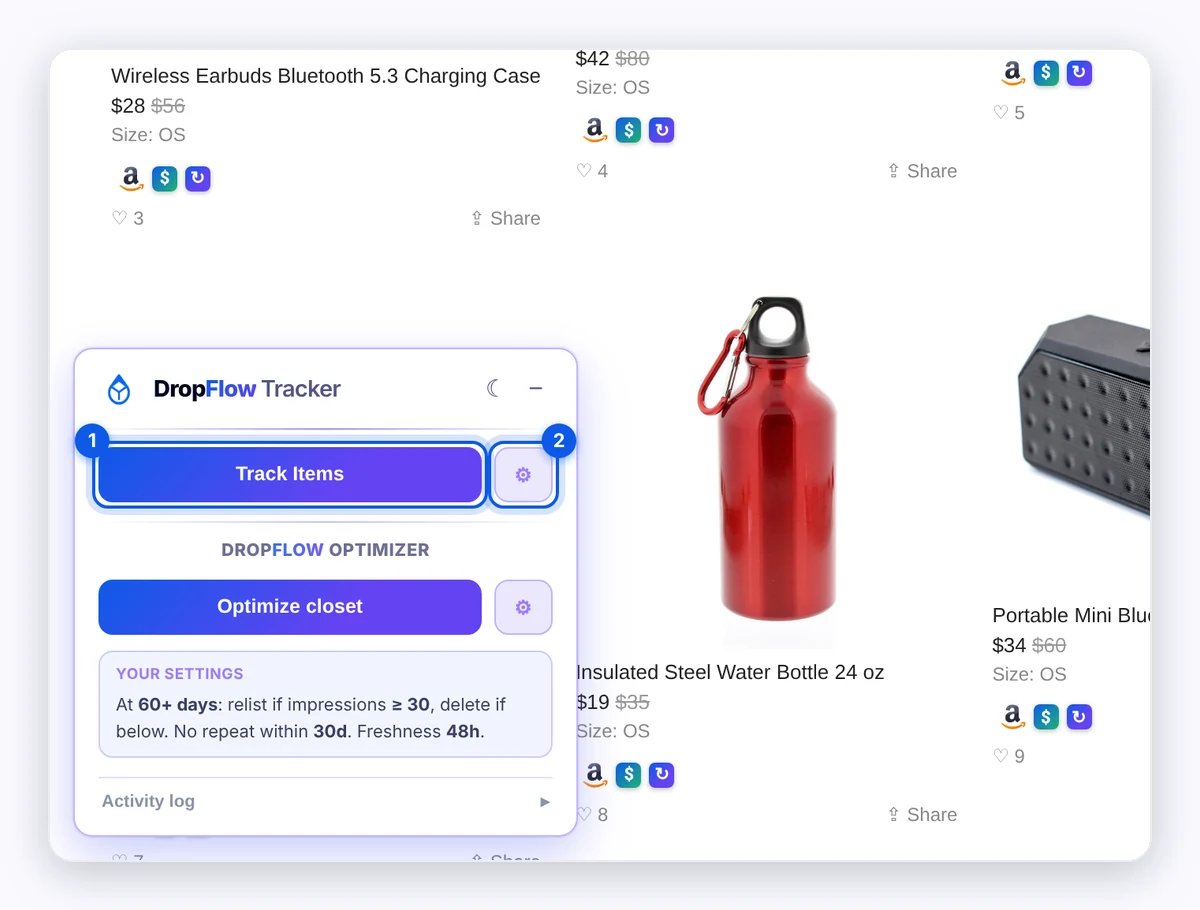
Source: DropFlowLister Help Center, Flow Tracker for Poshmark guide, captured November 2, 2026.
After a run, you can follow up with the Closet Optimizer. It only relists items with a fresh green tracker badge, so tracking first gives it current data. Stock sync is one part of a wider closet workflow — see which closet tasks to automate besides tracking.
Does This Work for eBay Too?
Yes. Flow Tracker covers eBay as well, where an out-of-stock item goes to quantity 0 instead of Not For Sale. On the Flow Tracker page, the delivery limit defaults to 7 days on eBay and 4 days on Poshmark. If you sell on both, our guide to avoiding eBay out-of-stock cancellations covers the eBay side.
Poshmark Not For Sale FAQ
What does Not For Sale mean on Poshmark?
It means the seller has set the listing’s Availability to Not For Sale. The listing stays in the closet, but it can’t be bought until the seller makes it available again.
Is Not For Sale the same as deleting a listing?
No. A Not For Sale listing stays in your closet and can be switched back to For Sale. A deleted listing is gone, so you would need to create it again.
Can you mark something as sold on Poshmark?
Poshmark’s 2014 announcement lists “items sold in bundles” among the uses for Not For Sale. So if you want a listing to show it’s no longer available, Not For Sale is the setting Poshmark describes for that.
How do I make a Not For Sale item available again?
Open the listing, click Edit and switch Availability back to For Sale. With Flow Tracker, listings it set to Not For Sale go back to For Sale on their own when Amazon restocks.
Does Flow Tracker work on Poshmark Canada?
Yes. Choose Amazon.ca as the Amazon domain to track poshmark.ca listings, or Amazon.com for poshmark.com.
Ready to Automate Not For Sale in Your Closet?
Not For Sale is a simple setting, but in a dropshipping closet it does a lot of work. Set it by hand for holds and bundles, and let Flow Tracker handle out-of-stock items with Continuous Tracking. Start with a test range of 20 listings, check the badges, then track the whole closet. Flow Tracker is one part of our Poshmark dropshipping software, which also writes your listings with AI via Flow Lister and starts supplier checkout from your sale page. If you’d like to try it on your own closet, you can try DropFlowLister 14 days for $1.


