
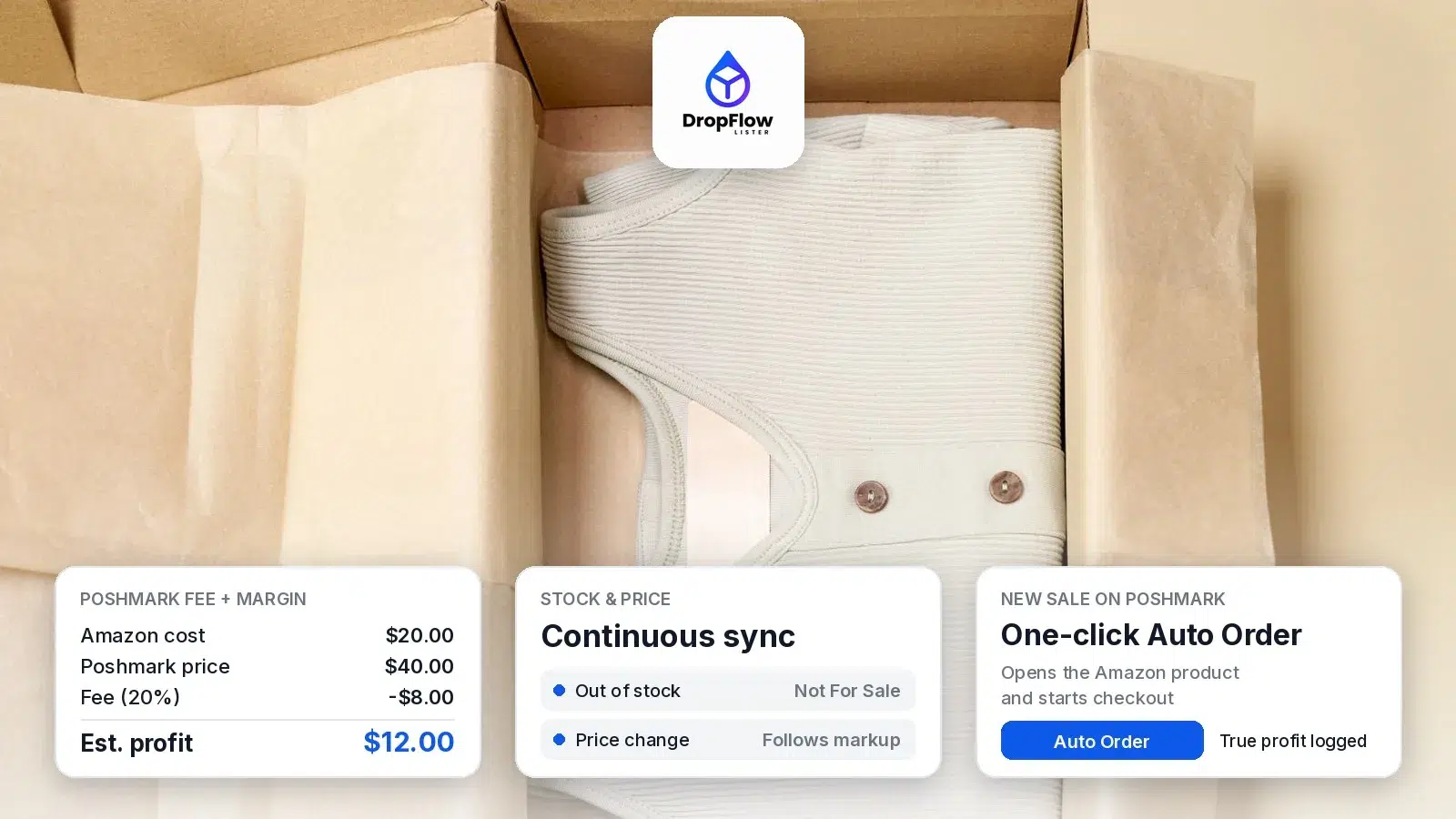
Here is how to dropship on Poshmark: you sell Amazon products in your Poshmark closet without buying stock first. You list an item, and when it sells, you order it from Amazon and ship it to your buyer with the Poshmark label. This guide walks through the full workflow, from finding products to pricing, orders and keeping your closet in sync.
We built it around the tools in DropFlowLister, which is live on eBay and Poshmark today. For the full feature tour, see our Poshmark dropshipping software page. Every fee in this guide comes from Poshmark’s own fee pages, and every feature comes from DropFlowLister’s help center, both checked on October 23, 2026.
TL;DR: How Do You Dropship on Poshmark?
In short, to dropship on Poshmark you run a loop with six steps:
- Find products that are already selling, with margin and fee data next to each one.
- List them from Amazon links or ASINs, with your markup applied.
- Monitor stock and price, so sold-out items switch to Not For Sale.
- Sell by comparing each offer with the current Amazon price.
- Fulfill each sale with one-click Auto Order, then log the true profit.
- Grow the closet by relisting what works and clearing what doesn’t.
Poshmark’s US fee is a flat $2.95 on sales under $15 and 20% on sales of $15 or more, so build your markup around that. DropFlowLister’s Solo plan for Poshmark costs $19.99 per month for 500 listings.
What Does It Mean to Dropship on Poshmark?
When you dropship on Poshmark, you list products you source from a supplier, rather than items you already own. Here, the supplier is Amazon. So your closet works like a catalog: each listing points to an Amazon product, and you only buy that product after a buyer pays you on Poshmark.
As a result, you don’t tie up cash in inventory, and you can test many more products than a traditional reseller. However, the model only works when your listings stay accurate. That means the right price, the right sizes and the right stock status at all times. That is why most of this guide is about tracking and syncing, not just listing. New to Poshmark? Start with how to sell on Poshmark.
Why Dropship Amazon Products on Poshmark?
Amazon to Poshmark is a popular pairing for three reasons. First, Amazon carries a huge range of clothing, shoes, accessories and home goods, which match what Poshmark shoppers browse. Second, Amazon delivery is usually fast, so you can get items out the door quickly. Third, Amazon product pages are detailed, so they give you good titles, photos, sizes and colors to build listings from.
DropFlowLister supports both US and Canadian closets, so you can dropship on Poshmark in either country. According to the Flow Lister for Poshmark guide, products from amazon.com list to poshmark.com, and products from amazon.ca list to poshmark.ca. In other words, the same workflow runs on both sites.
Step 1: How Do You Find Amazon Products to Dropship on Poshmark?
Start with demand, not guesses, because the products you dropship on Poshmark decide everything else. The Product Finding Suite includes a Market Trends Dashboard that, in DropFlowLister’s words, “delivers a weekly, data-ranked feed of the hottest trending products on Poshmark,” scored by margin and velocity. Each product shows its supplier cost, the Poshmark fee and an estimated profit. Then, when you like one, you click Hit Source to send it straight into your listing workflow.
In addition, the suite includes an Amazon ASIN Extractor that runs on Amazon search pages. It’s useful when you’ve found a good category and want to collect many ASINs at once. With 500M+ products available to source from, the limit is usually your listing plan, not the supply of ideas.
To choose categories first, see our list of Poshmark’s 2026 trending categories, each matched to Amazon searches you can run.
A few habits help at this stage:
- Favor items with clear size charts and good photos, because they turn into cleaner listings.
- Check that the margin still works after Poshmark’s fee, especially on low-priced items.
- Prefer products with short Amazon delivery times, so your buyers get their orders sooner.
Step 2: How Do You List Amazon Products on Poshmark?
Next, you turn those products into listings. Flow Lister is DropFlowLister’s listing tool, and it runs through a Chrome extension. You paste Amazon links or ASINs, and the Poshmark guide explains that it fills in the title, description, category, colors, sizes, images, price, condition, SKU and discounted shipping for you. If Amazon doesn’t stock a size, that size is set to 0.
The settings give you a lot of control over how listings come out:
- Markup Percentage: the default is 150, and you can change it to fit your pricing.
- Variable Markup by Cost: set different markups for different cost bands, so cheap and expensive items both stay profitable.
- Max Delivery Days and Max Price Diff: skip products that arrive too slowly or whose price varies too much between sizes. The defaults are 4 days and 10%.
- Variable Shipping Discount: choose how much shipping help you give buyers, up to covering the full cost.
- Skip Keywords: leave out products whose titles contain words you don’t want in your closet.
- Image templates: apply a consistent look to your listing photos, with optional AI Image Enhancement through your own Replicate key.
You can run one to three listings in parallel. For large batches, the guide notes a short built-in cooldown after the first 100 listings, which keeps long runs steady. Because Flow Lister is platform-aware, the same tool also builds eBay listings. So if you sell on more than one marketplace, you don’t need a second listing process. For a closer look at AI titles, image templates and markup rules, see our guide to bulk listing with Flow Lister. To run a big batch step by step, from ASINs to markup bands and daily schedules, see how to list hundreds of Amazon items to your closet in one batch.
Step 3: How Should You Price Items You Dropship on Poshmark?
Pricing is where your plan to dropship on Poshmark succeeds or fails, so it’s worth doing the math once. Poshmark’s US fee policy charges nothing to list, and for sales under $15 “the fee is a flat rate of $2.95.” For sales of $15 and above, “the fee is 20% and you keep 80%.” In Canada, the Poshmark.ca fee policy sets a flat C$3.95 on sales under C$20 and 20% on sales of C$20 or more.
Here’s what that looks like on three example items. These figures are our own math from the US fee policy:
| Amazon cost | Markup | Poshmark price | Poshmark fee | Your payout | Profit before costs below |
|---|---|---|---|---|---|
| $8.00 | 80% | $14.40 | $2.95 (flat) | $11.45 | $3.45 |
| $20.00 | 100% | $40.00 | $8.00 (20%) | $32.00 | $12.00 |
| $45.00 | 70% | $76.50 | $15.30 (20%) | $61.20 | $16.20 |
The profit column doesn’t include sales tax on your Amazon order or any shipping discount you offer. Also, accepted offers lower the final price, and the fee comes off that final price. So leave room for both.
Two patterns stand out. First, the flat fee hits cheap items hard, because $2.95 is a big share of a $14 sale. Second, once you’re above $15, a 100% markup leaves a healthy cushion for offers. That’s why Variable Markup by Cost is so useful: you can use a higher markup on low-cost items and a lower one on expensive items.
To test your own numbers, use our Poshmark fee calculator. It covers US and Canadian fees and shows your profit per sale. To see how Poshmark’s fees compare with eBay’s, read our Poshmark vs eBay breakdown.
Step 4: How Do You Keep Stock and Prices in Sync?
Amazon prices and stock change often, so when you dropship on Poshmark, your closet needs to keep up. Flow Tracker handles this for Poshmark. According to the Flow Tracker for Poshmark guide, it checks each listing in your closet against its Amazon product. If Amazon runs out, the listing is marked Not For Sale. Then, when Amazon restocks, it goes back to For Sale. To see how that setting works and how to automate it, read our guide to what Not For Sale means on Poshmark.
Prices follow your markup, too. For example, with a 100% markup, a $100 Amazon item lists at $200. If the Amazon price moves, your price moves with it. You can also set a Price Trigger Threshold, so tiny changes don’t cause updates. Meanwhile, the size monitor sets sold-out sizes to 0, so buyers can’t pick a size you can’t get.
A Product Tracker widget sits right on your closet page. You can track the whole closet, track a single listing with its own button, or turn on Continuous Tracking, which loops through your entire closet until you press Stop. Because Chrome slows hidden tabs, keep the tracking tab visible while it runs.
Step 5: How Should You Handle Offers?
Offers are a normal part of selling on Poshmark, and they’re easy to answer when you know your real costs. Check Offers reads the offers on your Poshmark offers page and saves them to an Offer Collector Dashboard. For each offer, it adds the matching Amazon price, stock and delivery, along with a profit comparison.
As a result, you can see at a glance which offers still leave a good margin. You stay in control, since Check Offers doesn’t accept, decline or counter anything. Instead, you answer each offer on Poshmark yourself. The dashboard also lets you filter by status, search by title or buyer, and export your offers as JSON and CSV.
Step 6: How Do You Fulfill Orders With Auto Order?
When an item sells, speed matters, since you dropship each Poshmark order from Amazon. DropFlowLister’s Poshmark order tools add buttons to your My Sales pages, including Copy SKU, Auto Order and an order note card. With one click, Auto Order opens the Amazon product and starts checkout. Then checkout stops so you can review it, and you click Place Order yourself. As the guide puts it, “Check the shipping address every time.”
Your buyer isn’t left waiting, either. Automated buyer messages work on Poshmark too, so once Amazon confirms the order, DropFlowLister can send the buyer a delivery update for you.
After you place the order, the tool reads your Amazon Order History and records the sale in Bookkeeping, where Poshmark sales show in their own section, separate from eBay. You’ll see a message like “Sale recorded successfully! True Profit: $X.” The Poshmark fee comes from Poshmark’s own pricing panel, so your profit reflects the actual fee. In addition, the order note keeps the Amazon order number and delivery estimate with each sale.
Shipping on Poshmark is simple. Poshmark’s shipping guide explains that after a sale you get an email with “your pre-paid, pre-addressed shipping label.” Once the Amazon package reaches you, pack the item, attach the Poshmark label and drop it off or schedule a pickup.
Can You Use an Amazon Box for Poshmark?
Yes. Poshmark’s shipping guide says, “You can use your own box or mailer, but do not use USPS Priority Mail packaging.” Similarly, Poshmark’s packaging guide says you can reuse a shipping box, as long as you “remove or cover up any previous labels before shipping.” So when you dropship on Poshmark, an Amazon box works well, once the old label is covered.
How Do You Scale a Poshmark Dropshipping Closet?
Once the loop runs smoothly, growth comes from two things: more good listings and a fresher closet. The Closet Optimizer relists items that are old enough and still getting impressions, so they look fresh again. It uses Poshmark’s own Copy Listing and Replace Original flow, which keeps your likes. By default, it looks at listings at least 60 days old with at least 30 impressions, and it only relists items with a fresh tracker badge.
On the other hand, some listings never catch on. Remove Inactive Listings deletes the ones that match all of your rules for age, likes, impressions and offers, which makes room for new products. Together, these two tools keep your closet focused on items that sell.
Finally, keep feeding the top of the funnel. Check the weekly Market Trends Dashboard, list the winners and let Flow Tracker keep them accurate. Because unused listings roll over each month, a slow week doesn’t waste your plan. For a map of which closet tasks to automate — listing, price and stock sync, refresh, offers and orders — see what to automate in a dropshipping closet.
Which DropFlowLister Plan Fits Poshmark Dropshipping?
DropFlowLister’s pricing page lists three Poshmark plans, and every plan includes the full feature set:
- Solo: $19.99 per month for 500 listings, with 30-day money-back.
- Squad: $64.99 per month for 4,000 listings.
- Agency: $125 per month for 10,000 listings.
DropFlowLister runs through a Chrome extension, and an API option is listed as Coming soon. Also, because it’s live on both eBay and Poshmark, you can grow into a second marketplace later without switching tools. If you want to run both stores from one account, see how to dropship on eBay and Poshmark.
How to Dropship on Poshmark: FAQ
How do you dropship Amazon products on Poshmark?
To dropship on Poshmark, you list Amazon products in your closet with your markup applied. When one sells, you buy it on Amazon, then ship it to your buyer with the prepaid label Poshmark emails you. DropFlowLister links each step, from listing and tracking to one-click Auto Order and Bookkeeping, so you can see the true profit on every sale.
Can I use an Amazon box for Poshmark?
Yes. Poshmark says you can use your own box or mailer, but not USPS Priority Mail packaging. Its packaging guide also says you can reuse a shipping box if you remove or cover any previous labels. So cover the Amazon label, attach your Poshmark label and the box is ready to go.
How do I price Amazon items on Poshmark?
Start with the Amazon cost, add your markup and then subtract Poshmark’s fee. In the US, that’s $2.95 under $15 and 20% at $15 or more. Leave room for offers and sales tax. Variable Markup by Cost lets you set higher markups on cheaper items, and the Poshmark fee calculator checks your numbers.
What happens when an item you dropship on Poshmark goes out of stock?
Flow Tracker marks the Poshmark listing Not For Sale instead of deleting it. When Amazon restocks, the listing goes back to For Sale, so you keep the listing and its likes. Sold-out sizes are set to 0, and prices follow your markup whenever the Amazon price changes.
Does DropFlowLister work in Canada?
Yes. Flow Lister and Flow Tracker both support amazon.ca with poshmark.ca, alongside amazon.com with poshmark.com. On Poshmark.ca, the fee is a flat C$3.95 on sales under C$20 and 20% on sales of C$20 or more, so build your Canadian markups around those numbers.
Ready to Dropship on Poshmark?
You now know how to dropship on Poshmark, step by step: find, list, price, track, answer offers, fulfill and grow. Set up your first batch of listings, run Flow Tracker and let the closet build from there. If you’d like to try the full workflow, you can try DropFlowLister 14 days for $1.


